> For the complete documentation index, see [llms.txt](https://cleyrop.gitbook.io/docs/llms.txt). Markdown versions of documentation pages are available by appending `.md` to page URLs; this page is available as [Markdown](https://cleyrop.gitbook.io/docs/v4.7-en/administration/gerer-les-clusters.md).
# Manage clusters
Create and manage the Spark and Python execution environments used by Dataflows and Notebooks.
Clusters are the runtime environments used for data processing on the platform.
They ensure the proper execution of Dataflows and data collections.
***
## Default clusters
Each Cleyrop environment has two active clusters by default:
* one Spark cluster — dedicated to distributed data processing (collections, transformations, Low Code, SQL, etc.),
* one Python cluster — dedicated to scripts, automations, and unit processing.
These two clusters ensure that runs are always possible with no startup time and serve as a fallback if a custom cluster is unavailable.
{% hint style="info" %}
Data collections always run on the default Spark cluster.
{% endhint %}
## Compute capacities and environment limits
The compute capacities available in your Cleyrop environment are finite and shared.
They correspond to a configuration of your environment, that is, a fixed number of machines and total CPU/RAM resources.
These resources are **shared** between:
* the **Jupyter sessions** open in **CodeLab**,
* the **Spark and Python clusters** used to run Dataflows and collections.
{% hint style="warning" %}
Each cluster session is **actually provisioned with resources**.
{% endhint %}
So:
* if several clusters have been created and consume all available resources, it will no longer be possible to create new Jupyter sessions
* if too many Jupyter sessions are open, new cluster sessions may fail to be created (provisioning error).
{% hint style="success" %}
In the event of **recurring saturation**, contact your Customer Success Manager to adjust the **capacity of your environment** (change size or add compute nodes).
{% endhint %}
## Create and configure a custom cluster
Platform Managers can create new clusters to meet specific needs (large volumes, parallelized tasks, isolated environments, etc.).
Each cluster can be **configured** according to several parameters:
| Parameter | Description |
| -------------- | ------------------------------------------------------------------------------------------ |
| Name | Visible to all users. Choose a clear, non-confidential name (e.g. spark-prod, python-ml…). |
| Type | Spark or Python. |
| Resources | Amount of CPU / RAM allocated to the driver and executors. |
| Sessions | Number of active parallel sessions (enables Dataflow parallelization). |
| Python version | For Python clusters: choice between 3.11, 3.12 or 3.13. |
| Libraries | List of packages preinstalled in the cluster (pandas, polars, numpy, pyspark, etc.). |
Increasing the number of sessions makes it possible to run several Dataflows in parallel, within the limit of available CPU/RAM resources.
{% hint style="warning" %}
If RAM or the number of executors is insufficient, errors such as **OOM (Out Of Memory)** may occur.
{% endhint %}
#### Understanding the Spark execution logic
A Spark cluster is based on a distributed architecture:
* Driver: coordinates tasks and collects results.
* Executors: perform computations in parallel on data partitions.
* Sessions: represent isolated connections to the cluster that can run Dataflows simultaneously.
#### **View the Cluster details page**
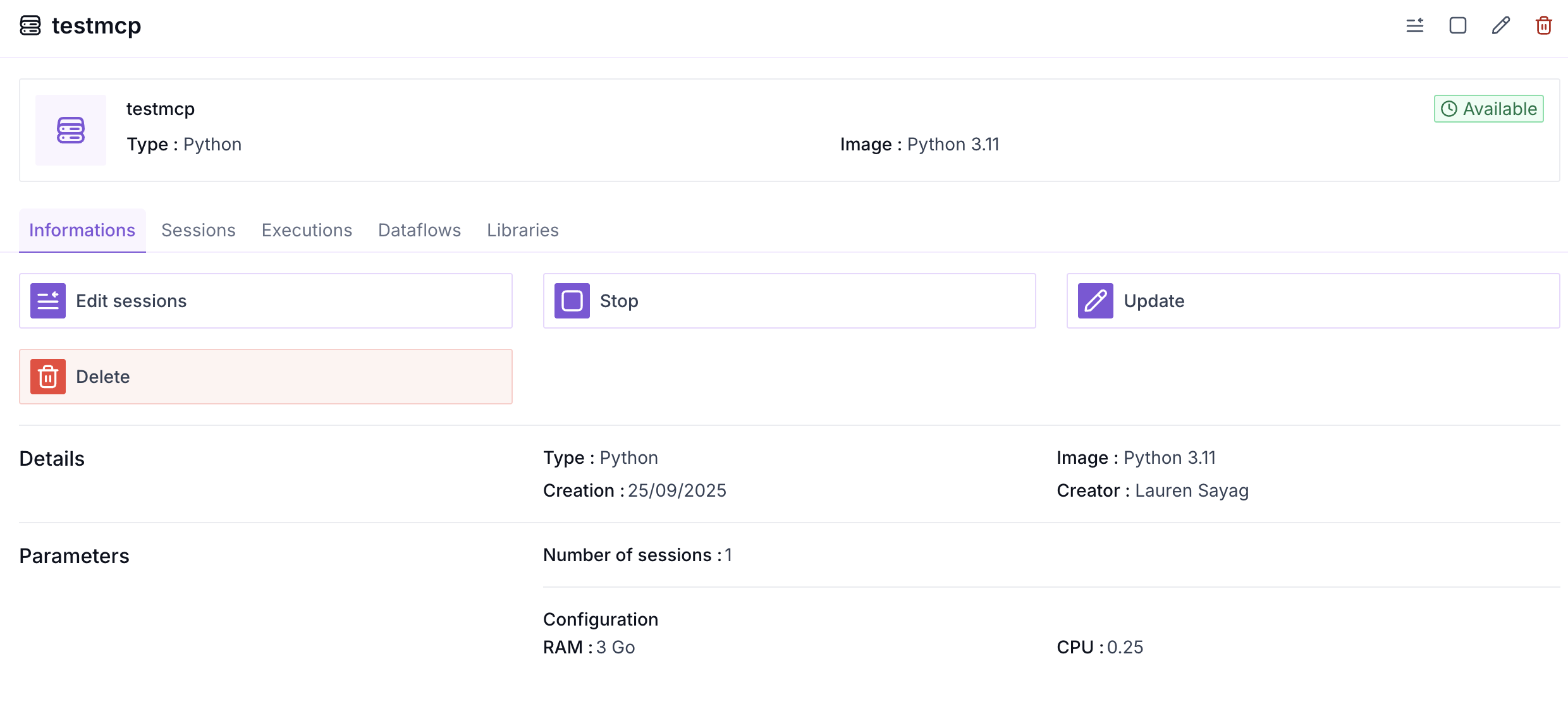
The details page for each cluster lets you view the **list of associated Dataflows** and consult the**execution history** of Dataflows, collections, or other associated operations (e.g. dataset deletion), and see its **libraries** and configuration settings.
## Using custom libraries (images)
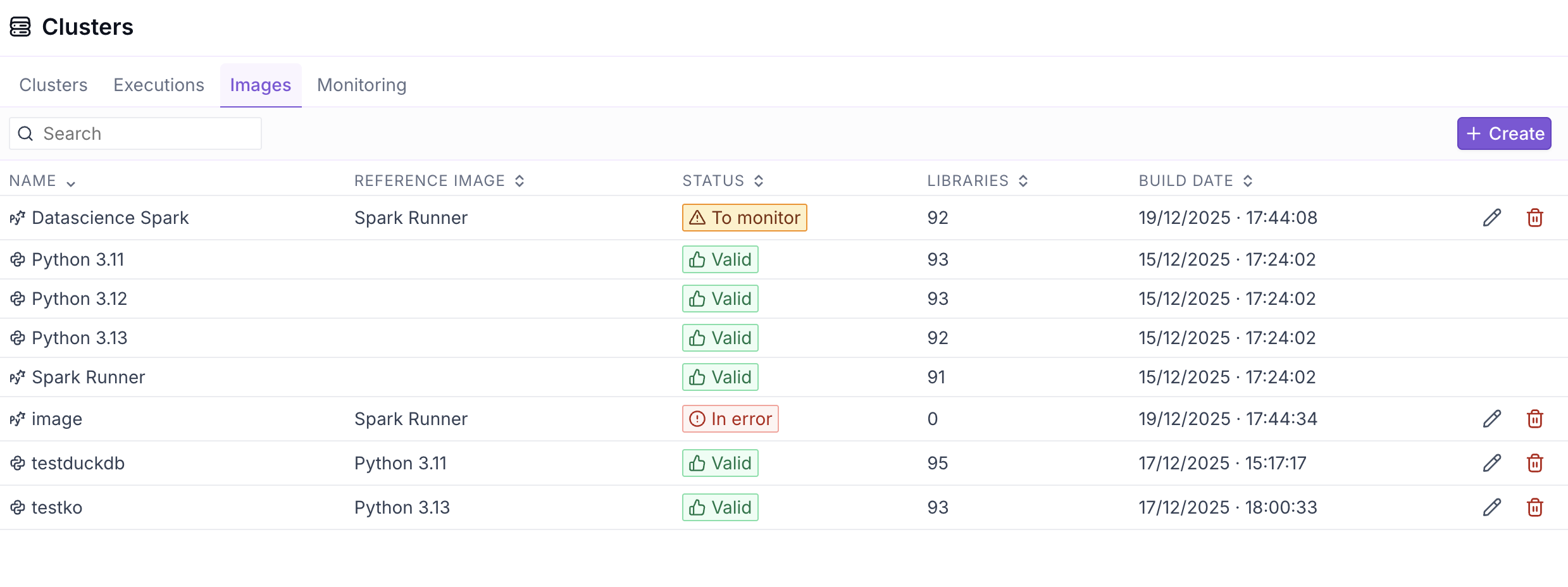
To use specific Python libraries in your clusters, you need to **first create a runtime image** including those libraries.
An image corresponds to a preconfigured Python or PySpark environment (Python version + libraries).\
Once created, **the same image can be reused in several clusters**, which makes it possible to share the same configuration across different projects or dataflows.
**General principle**
1. You create an **image** by choosing a base (Python or PySpark).
2. You add the **required libraries** for your processing tasks.
3. The image is built and made available on the platform.
4. You select this image when **creating or modifying a cluster**.
### Create an image with libraries
Creating an image means starting from a Cleyrop base image (Python or PySpark), which already includes a set of standard libraries. You can then add additional libraries from those available on PyPI:
* Choose a base image: Python (3.11 / 3.12 / 3.13) or PySpark.
* Add the libraries to include:
* Name (required). To install a library with its optional dependencies (*extras*), add them in brackets, as in a requirements file: `markitdown[pdf]` or `markitdown[pdf,docx]`. A non-existent extra is rejected with the message *Dependency extra not found on PyPI*.
* Version (optional)
* if empty: latest version available on PyPI
* supported operators: ==, >, < (requirements.txt-style format)
* Click Create.\
Before building, the platform automatically checks: that the library exists, that it is compatible with the chosen runtime, and that there are no known dependency conflicts. In case of an error, a clear message is displayed.
After it is created, you can view the **status** and the **logs** of the image to verify that it is available for use in a cluster.
{% hint style="warning" %}
If at least one **library** cannot be installed, the build fails entirely.
{% endhint %}
### View an image and inspect the logs
From an image’s details page, you can view the list of installed libraries, their versions, the status of the latest build, and the modification history. This makes it possible to understand precisely which environment will be used by the clusters relying on this image.
Build logs are available to quickly diagnose an installation or compatibility error. As long as the build has not succeeded, the image cannot be used.
The **Rebuild**, available from the image list or the detail page, lets you manually restart the image build, which is useful for example to fetch the latest available versions of libraries without pinned versions.
{% hint style="warning" %}
After a rebuild, it is necessary to restart the clusters using this image so that they take the new version into account.
{% endhint %}
{% hint style="info" %}
* When editing, a fallback uses the latest image version that has a successful build.
* A warning appears if the last edited configuration does not match the currently available image (because the latest build failed).
{% endhint %}
### Use an image in a cluster
Once the build succeeds, the image becomes available when creating or editing a cluster.
All dataflows and sessions run on this cluster automatically benefit from the libraries included in the image, with no additional configuration.
### Manage image evolution
Images can be modified or deleted. Any change (adding, updating, or removing a library) triggers a single build of the image, which is tracked in the history.
Changes apply to new uses of the image; clusters already running are not automatically interrupted. If a build encounters a problem, the platform keeps the latest valid version of the image to avoid service disruption.
## Manage cluster shutdown and restart
Platform Managers can stop and restart non-default clusters to manage compute resources more flexibly.
#### Stop a cluster
Only custom clusters can be stopped.
You can do this from the cluster list or from the cluster details page by clicking the Stop button :stop:
Stopping a cluster automatically results in:
* the**stopping of all sessions** associated with this cluster after the last running executions,
* the **release of the** compute resources it was using
This operation does not affect Dataflows that have already been run, but any attempt to run one will require an active cluster.
{% hint style="warning" %}
Future executions of **related Dataflows** to this cluster will remain pending until it is restarted or run on an active cluster
{% endhint %}
#### Restart a stopped cluster
Restarting a cluster makes the resources available again for running related Dataflows.
When restarting:
* the cluster automatically recreates the same number of sessions as defined in its original configuration,
* it becomes available again for running dataflows,
* if a Dataflow was **pending** it will be run
## Monitor executions
### **View active clusters**
From the Clusters tab in the administration panel, Platform Managers can:
* Type (Python / Spark)
* Number of allocated sessions
* Status (active / inactive)
* Queue
### View executions in real time
In the Executions tab of the Cluster page, it is possible to view all executions in real time. This makes it possible to see whether a process is blocked or waiting and act accordingly.
### View a cluster's executions
Each cluster displays the list of Dataflows, collections, and associated operations (e.g. dataset deletion, scheduled execution…).
For each execution:
* the status (success, in progress, failure),
* the duration,
* the task type,
* and the relevant Dataflow are displayed.
### Track global monitoring
From the Monitoring tab, you can observe:
* global CPU and RAM usage,
* and how consumption changes in real time.
## Adjust resources to resolve certain incidents
In the event of slowdown or queueing, follow these steps:
1. Check running executions
→ Tab *Clusters > Executions* : identify long-running or blocked tasks. You can contact the Dataflow owner to investigate these slownesses or ask them to stop it. In an emergency or if it is unavailable, the project owner can change the Dataflow owner in order to stop it.
2. Analyze CPU/RAM usage
→ Tab *Monitoring* : a usage spike may indicate a lack of resources.
3. Adjust the cluster resources
→ Increase RAM, the number of executors, or the parallel sessions if necessary.
4. Check the session status
→ An inactive or blocked session may require redeployment.
{% hint style="warning" %}
OOM (Out Of Memory) errors are often due to a non-distributed process or a dataset that is too large being handled on the driver side.
{% endhint %}
***
## Best practices
* Name clusters clearly to make them easier to use (spark-prod, python-etl, spark-ml…).
* Create dedicated clusters for heavy or sensitive processing.
* Limit the number of active sessions to the cluster’s actual capacity.
* Monitor the monitoring regularly to anticipate saturation.