> For the complete documentation index, see [llms.txt](https://cleyrop.gitbook.io/docs/llms.txt). Markdown versions of documentation pages are available by appending `.md` to page URLs; this page is available as [Markdown](https://cleyrop.gitbook.io/docs/v4.7-en/data-and-ai-project/dataflow/executer-deployer-et-automatiser.md).
# Run, deploy, and automate
Run your Dataflows automatically according to a schedule or an event.
Once a Dataflow is ready and validated, you can **run it or schedule it** so that it runs automatically at a given frequency or in a logical sequence with other Dataflows or Datasets.
Scheduling helps keep your processes up to date without manual intervention, and**orchestrate** multiple flows together.
| Mode | Description | Use case |
| ------------- | -------------------------------------------------------------- | -------------------------------------------------- |
| **Manual** | One-off launch from the interface (button *Run*). | Testing, adjustments, validation of a new version. |
| **Recurring** | Automatic execution at a defined frequency. | Daily update of reporting datasets. |
| **Event** | Triggered by an event (Dataset / Dataflow update, file upload) | Refresh a summary Dataflow after multiple sources. |
***
## View executions
You can view all scheduled or unscheduled executions from the Dataflow list - History tab or from the Dataflow Executions menu
The Executions tab shows the history of all executions, whether manual or scheduled.
For each execution you can find (in the list or the detailed record):
* Execution type (manual / scheduled / event),
* Date and time and total duration
* Status (success, error, canceled, pending),
* Partial (only one transformation executed) or Global
* Execution cluster
* Executed Dataflow and branch
You can click on a **transformation** to see its details and view the **detailed logs** for each transformation.
{% hint style="warning" %}
If your execution remains `Pending`, it is in the [Queue](/docs/v4.7-en/data-and-ai-project/dataflow/analyser-les-executions-et-logs.md#position-dans-la-file-dattente) of the cluster
{% endhint %}
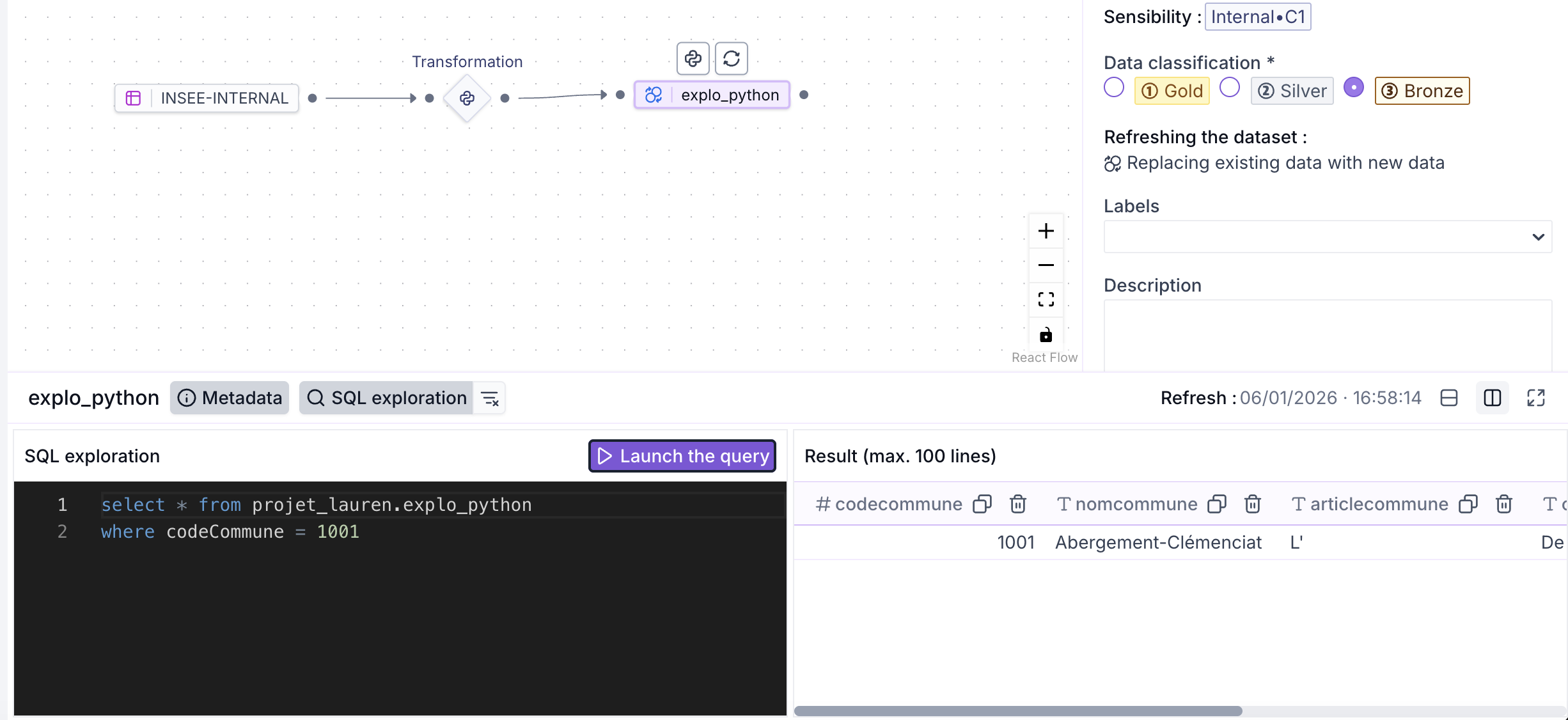
Preview the datasets produced by your transformations directly.
## View or filter execution results
After each execution (manual or scheduled), you can **view the results in a Dataset preview.**
From the Dataflow graph or from the latest execution details:
* Click on a **output dataset** to display its **preview** (up to the first 100 rows) as well as its full schema (columns, types, nullable, etc.).
* To filter or explore the results, go to the **SQL Exploration tab of the preview details** in the dataflow interface
{% hint style="info" %}
If the Preview does not appear when it should, it is often due to a [schema issue](/docs/v4.7-en/data-and-ai-project/dataflow/creer-un-dataflow/configurer-un-dataset-de-sortie.md#gerer-le-schema-du-dataset-de-sortie)
{% endhint %}
## Deploy a Dataflow
Once your Dataflow is ready, you can switch your Dataflow to **Production** by **deploying it**. The production deployment will enable:
* Visibility in the output datasets library **Referenced**
* The **reuse of referenced output Datasets** from the Dataflow within the project (other Dataflows, Agents…)
* The [**publishing in the catalog**](/docs/v4.7-en/data-and-ai-project/datasets/publier-au-catalogue.md) of datasets so they can be reused in other projects
* The [**collaboration on the Dataflow**](/docs/v4.7-en/data-and-ai-project/dataflow/collaborer-et-versionner.md) via versioning with the other project members
{% hint style="danger" %}
The **deploying** of the dataflow **will automatically generate a Dataflow execution.**
{% endhint %}
To ensure good data and transformation quality, it is strongly **recommended** before moving to Production that:
* The latest global execution of the Dataflow is in **status ****`Success`**
* That the data is clean; for this you can [**reset the data**](/docs/v4.7-en/data-and-ai-project/dataflow/creer-un-dataflow/configurer-un-dataset-de-sortie.md#reinitialiser-les-donnees) of an output Dataset or [**remove**](/docs/v4.7-en/data-and-ai-project/dataflow/creer-un-dataflow/configurer-un-dataset-de-sortie.md#creer-un-dataset-depuis-un-dataframe-pandas-version-polars) unnecessary columns before moving to Production
To put the Dataflow into Production, click the `Deploy` button at the top right of the page
## Manage your schedules
{% hint style="warning" %}
* Only the **Dataflow Owner** and **Project Manager** can create or modify a schedule
* A Dataflow must be in **Production** to be automated
{% endhint %}
1. From the Dataflow list, select the button :pen: `Information` or from the Dataflow click on :gear: `Information`, then `Edit`
2. In the Refresh section, you can:
* Add one or more **recurrences** : execution frequency (daily, weekly, hourly, etc.) and launch time\
💡 You can create multiple schedules for the same Dataflow (e.g., daily test version, weekly full version).
* Add a **event trigger** : choose the type and then the name of the trigger
* **Dataset** : choose the Dataset for which the trigger will be activated upon **success** of a refresh
* **Dataflow** : choose the Dataflow for which the trigger will be activated upon **success** of a **execution**
* **Work Data** : choose the folder for which the trigger will be activated when a file arrives
From this panel you can **modify** or **delete** a schedule.
***
## Best practices
* Use staggered time windows to avoid **load spikes** (e.g. 2 a.m. rather than midnight).
* For critical processing, enable an **alert** in case of failure.
* Always test a schedule on a lightweight cluster before deploying it to production.
* Document your schedules (description, frequency, dependencies) to make maintenance easier.